ANDROID · VIRTUAL CHARACTER CAMERA
Take photos with your virtual characters
HOSHIMI CAMERA blends your live camera feed with VRM avatars. Place a character in the shot, give her a pose, an action or an expression, and shoot. What lands in your gallery looks like she was standing there.
- Android · VRM 0.x and 1.0 avatars
- Free — no ads, no in-app purchases, no subscription
- No account, nothing uploaded: everything stays on your phone
Free — no ads, no in-app purchases, no subscription
Everything stays on your phone — no account, no upload, no analytics SDK.
CORE CAPABILITIES
/ 01 — PLACE
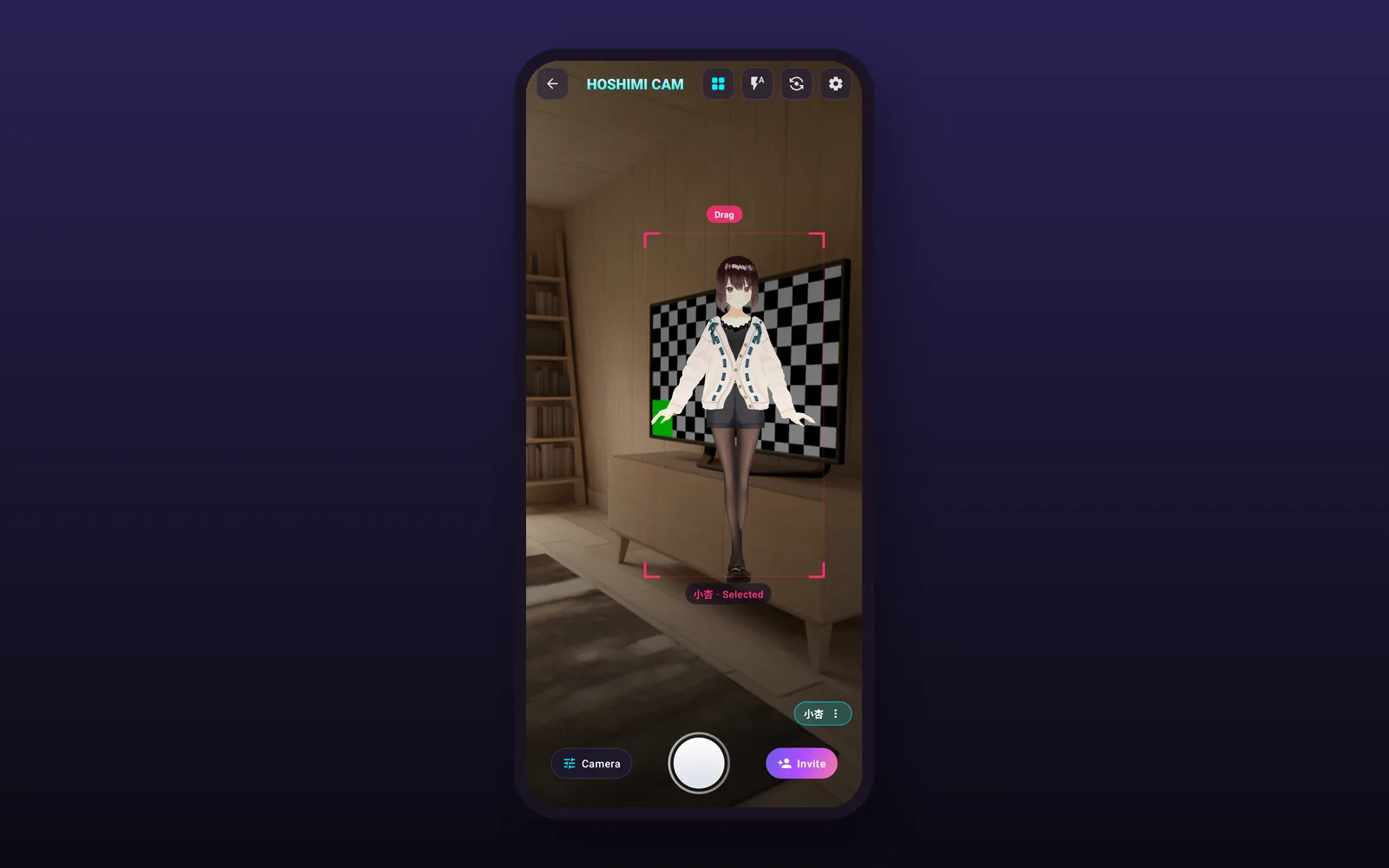
Invite a character into your shot
Pick a character from your library or import your own VRM file, then place her in the frame by hand.
- Built-in cast, or import your own .vrm file
- Drag, scale and rotate until the framing feels right
- Switch characters without leaving the viewfinder
- Front and back camera, switchable at any time
/ 02 — PERFORM
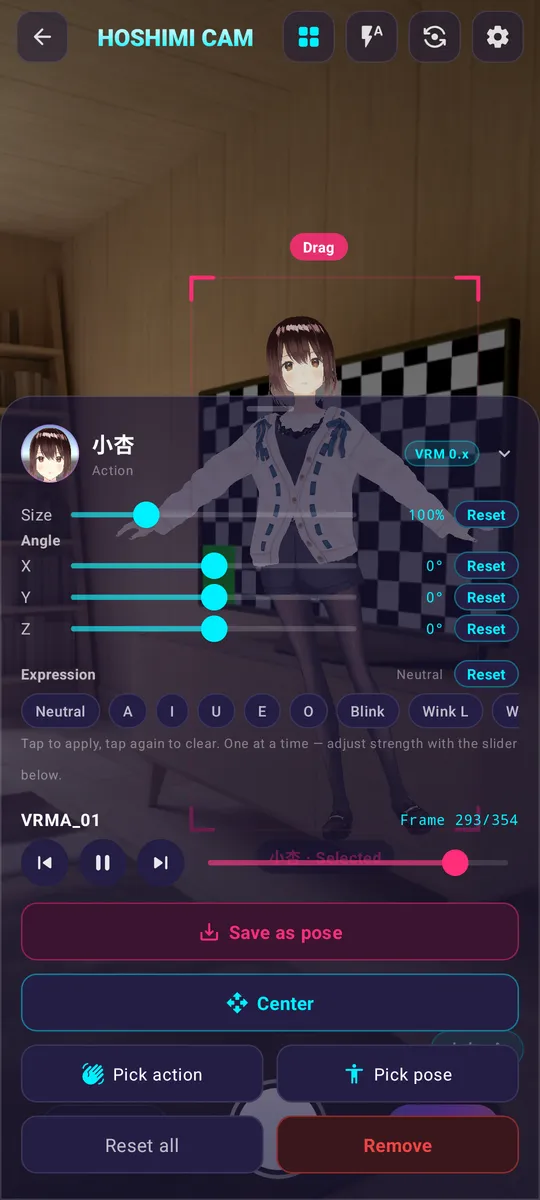
Pose, perform, express
Give her a pose, an action or an expression — and freeze the exact frame you want to shoot.
- 20+ expressions, saved poses and animated actions
- Scrub an action and stop on the frame you like
- Expressions and actions come along with VRM 0.x / 1.0 files
- Other glTF/GLB models import too, but usually arrive static
/ 03 — CAMERA
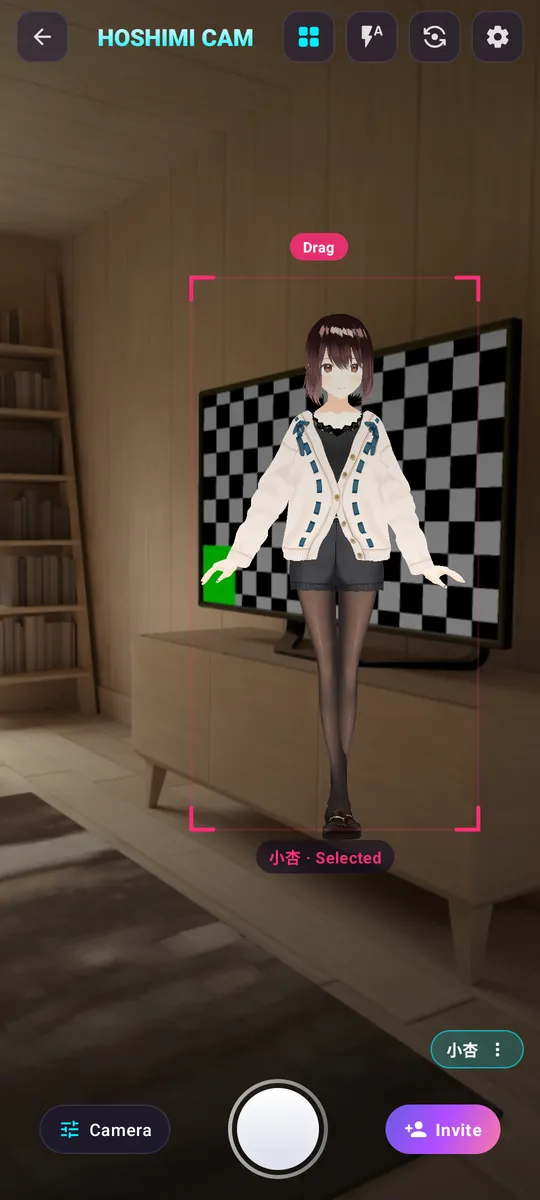
A studio in your pocket
Camera controls that work live on the preview, not afterwards.
- Framing, beauty, denoise and filters
- Zoom, grid, flash, front/back camera
- Photo at three quality levels, video, timer and time-lapse
- Everything is applied to the live preview before you shoot
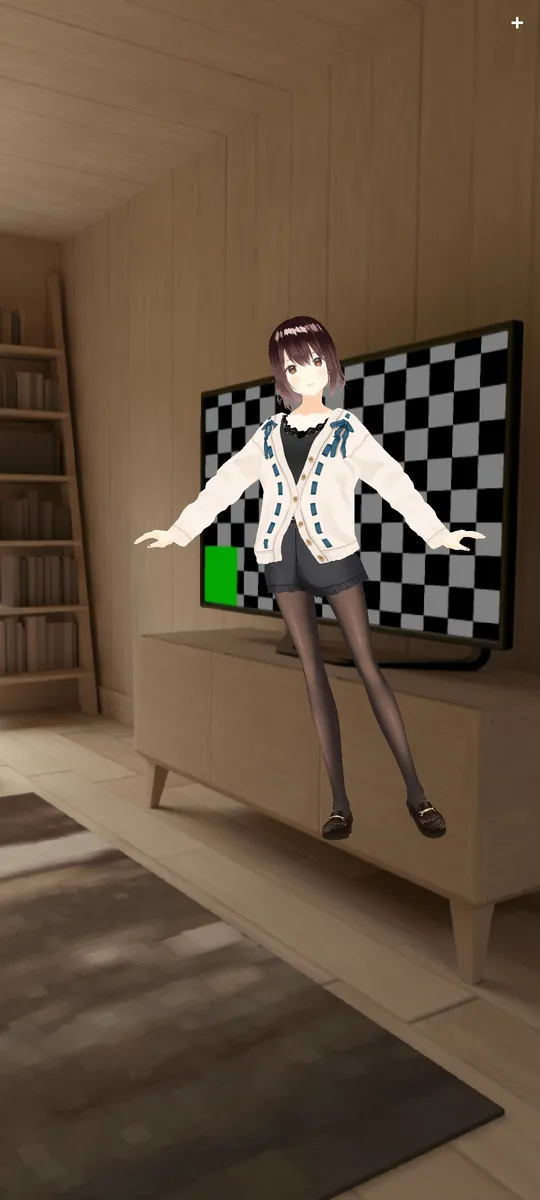
/ 04 — RESULT
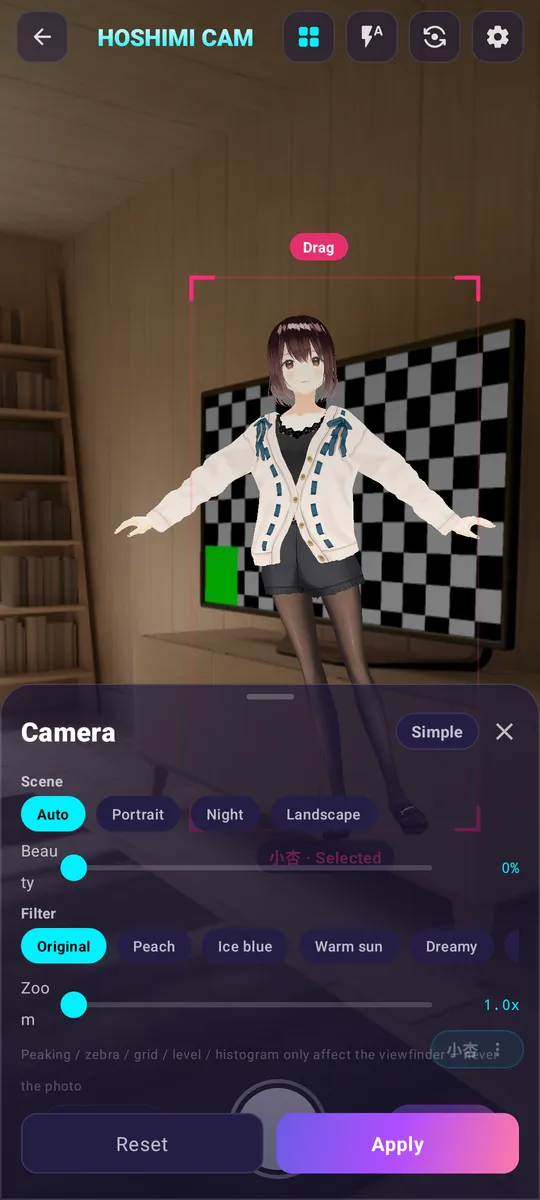
Your room is the stage
The composite happens on the spot, and the finished photo lands straight in your gallery.
- Composited on the device at capture time
- Saved to Pictures/MagicCamera in your gallery
- Stills, clips and time-lapse
- No cloud, no account, nothing to sync
/ 05 — LIBRARY
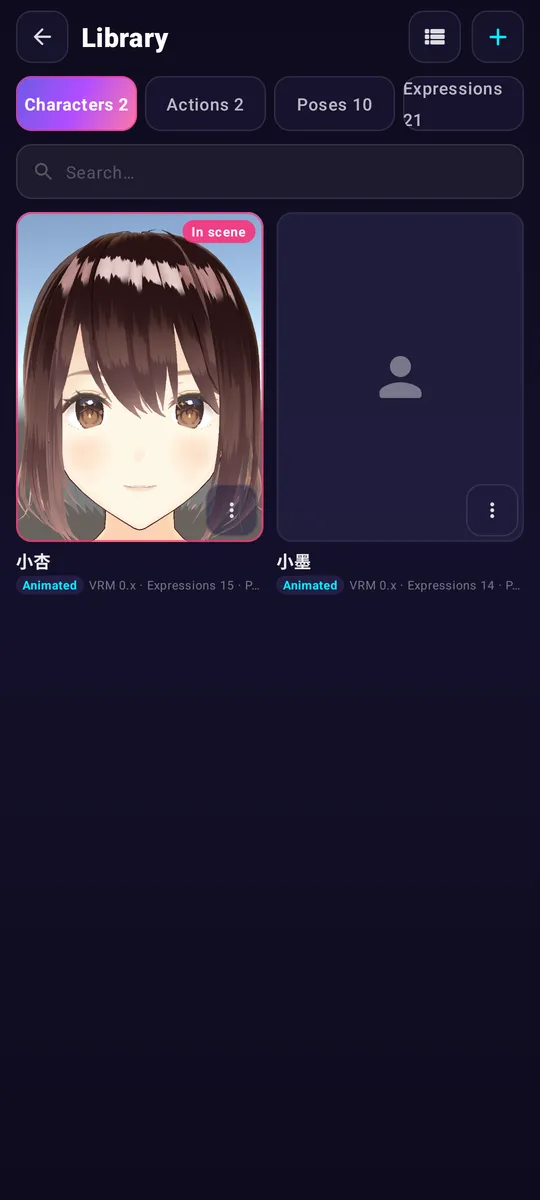
Your cast, in one library
The built-in cast and everything you imported, with their actions and poses alongside.
- Character cards for the built-in cast
- Actions, poses and expressions listed per character
- Import .vrm / .vrma / .fbx / .json from creator platforms
- Available in 8 languages, following your system language on first launch
SPOTLIGHT
Who it's for
You built an avatar and you only ever see her inside a mirror of yourself. This puts her in real light, in a real room, and takes the photo.
- — VTuber & VRoid creators
- — Cosplay & photo fans — no green screen, no rig
- — Creators in a hurry: stills and clips in a couple of taps
- — Anyone who wants their phone camera to do the compositing
Download
Grab the APK, then open it on your phone. Version, size and SHA-256 below are for the file you are actually downloading.
- SHA-256
- 062be1e954dd54643d4f417681cb654d79f1acf704f4d99c6e20833853f4f5f0
- Size
- 103.5 MB (108,545,098 bytes)
PriceFree — no ads, no in-app purchases and no subscription.
System requirements
- Operating system
- Android 8.0 or later (API 26)
- Architecture
- arm64-v8a (64-bit)
- Installer
- APK — about 103.5 MB (108,545,098 bytes)
- Version
- 1.0 (versionCode 1)
- Package
- work.aihow.magiccamera
- Character files
- VRM 0.x / 1.0 (expressions, poses, actions); other glTF/GLB import static
- Photos
- Saved to Pictures/MagicCamera in the device gallery
- App language
- English, 中文, 日本語, 한국어, Deutsch, Français, Español, Italiano
- Licence
- Free — no ads, no in-app purchases, no subscription
The APK is about 100 MB, so we suggest downloading over Wi-Fi. After downloading in a browser, your phone will ask you to allow installing apps from unknown sources for that file.
Free
HOSHIMI CAMERA is free: no ads, no in-app purchases and no subscription — every feature is in the download. The only things you might pay for are third-party characters or actions you buy on creator platforms such as BOOTH; that is between you and the creator, and this page handles no payment for it.
Everything, actually
There is nothing to unlock. Every module, every character slot and every capture mode is in the free download.
- All capture modes: photo, video, timer, time-lapse
- All 20+ expressions, poses and actions
- Import your own .vrm characters
- 8 languages, no account
- No watermark, no trial countdown
FAQ
- Is it really free?
- Yes. The app is free, with no ads, no in-app purchases and no subscription — every feature is in the download. The only things you might pay for are third-party characters or actions you choose to buy on creator platforms such as BOOTH; that is a transaction between you and the creator, and this page does not handle any payment for it.
- Do I need an account?
- No. There is no sign-up, no login and nothing to sync.
- Which character files can I use?
- VRM 0.x and VRM 1.0 avatars import fully — expressions, poses and actions included. Other glTF/GLB models can be imported too, but they may come in static: those files often carry no facial blend shapes and no humanoid rig, so expressions and actions stay unavailable for them.
- Where do my photos go?
- Straight to your device's gallery, in the Pictures/MagicCamera folder, so they show up in whatever photo app you normally use.
- Does it work with the front camera?
- Yes — flip between the front and back camera at any time, and switch characters without leaving the viewfinder.
- Which languages does the app speak?
- English, 中文, 日本語, 한국어, Deutsch, Français, Español and Italiano. It picks up your system language on first launch and remembers your choice after that.
- How do I add my own character or action?
- Download the file (.vrm, .vrma, .fbx or .json) from a creator platform such as BOOTH, then use the import entry inside the app. What you may do with the file is decided by its creator — the app only imports it locally.
Characters and actions bundled with or imported into the app belong to their respective authors, and the app uses them under the terms of each platform. This page only provides links to sources and licensing notes — it does not host or distribute any third-party asset files.